See where your vehicles are, how they are used, and when something needs action.
Fogito GPS & fleet gives you an overview of vehicles, trips, history, geofencing, alerts and driving behaviour, with advanced data where the installed hardware supports it.
For service businesses, tradespeople, facility teams, transport, distribution and companies with vehicles, machines or assets on the move.

For businesses where vehicles are part of operations.
Fogito GPS & fleet suits businesses that need an overview of vehicles, trips, events, locations and mobile resources.
The fleet is hard to manage when data is not used in operations.
GPS data is valuable, but only if it helps the business make better decisions. Many companies have tracking, but lack the connection between vehicles, jobs, time and documentation.
From vehicle to action.
Vehicle
Add vehicles, assets or units you want to track.
Trip
See trips, routes, start/stop and driving patterns.
History
Review historical data so use and events can be documented.
Alert
Use geofencing, speed alerts and events to react faster.
Action
Follow up with jobs, contact to employees or internal documentation.
Documentation
Store relevant history and data as a basis for operations, customer replies or checks.
Fleet overview connected to daily operations.
Live fleet overview
See vehicle position, status and latest activity in a single overview.
Trips and history
Review trip data, routes, start/stop, parking and driving patterns.

Geofencing and alerts
Get notified when vehicles enter or leave defined areas, or when specific events need attention.
Driving behaviour and vehicle data
Track driving behaviour, driver ID, diagnostics, fuel, CAN/OBDII, engine hours, tachograph and temperature, where the installed hardware supports it.
Security and control
Immobilisation, door control, jamming detection, crash detection, camera or ADAS can be used, where the installed hardware supports it.
Connected to operations
Combine GPS with jobs, time tracking, transport, documentation and invoicing, when it fits the workflow.

Fogito Fleet.
Fogito Fleet is the recommended configuration for businesses starting with GPS and fleet management.
Typically included
- GPS trackingSee vehicle position and latest activity.
- Trip historyReview trips, start/stop, routes and historical events.
- GeofencingDefine areas and get notified on entry or exit.
- AlertsUse alerts for events, movement, speed or deviations, and get notified via SMS, push and email.
- Driving behaviourTrack hard braking, acceleration, cornering and idling, where the installed hardware supports it.
- Vehicle diagnosticsUse CAN/OBDII, engine hours, fault codes, fuel data and tachograph data, where the installed hardware supports it.
- Logistics and transport linkConnect the fleet overview to transport, jobs or other operations, where it fits the solution.
Possible add-ons
- Task managementLink vehicles and trips to jobs and service visits.
- Time trackingCombine time, employees and locations in the same workflow.
- InvoicingUse relevant data as a basis for follow-up and invoicing.
- Forms and checklistsDocument checks, vehicle inspections or events.
- Advanced fleet reportingGet a more structured overview of use, trips and events.
The right data depends on the installed hardware.
Fogito can support many types of GPS and telematics data, but advanced features depend on the device, the installation, the vehicle and the chosen configuration.
CAN/OBDII and diagnostics
Engine revs, fuel level, odometer, fault codes and consumption straight from the vehicle.
Tachograph and engine hours
Live data, file retrieval and engine hours for documentation and follow-up.
Fuel and temperature
Fuel measurement, consumption and temperature data, for example for refrigerated transport.
Driver ID and driving behaviour
RFID, iButton and iBeacon for driver identification, plus hard braking, acceleration, cornering and eco-driving.
Immobilisation and remote control
Engine blocking, door control and other remote control. Requires approved installation.
Camera, ADAS and BLE
Camera, ADAS, BLE sensors and beacons as extensions to the fleet.
See the fleet in the product.
Live map and vehicle list in one overview. In the demo we also cover trip history, geofencing, alerts and the vehicle data your hardware supports.
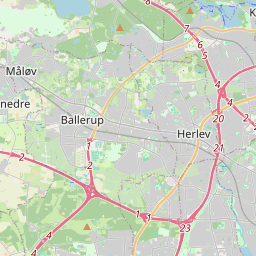
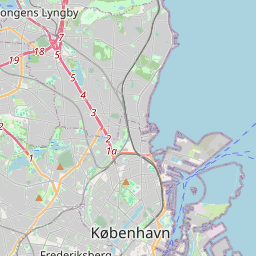
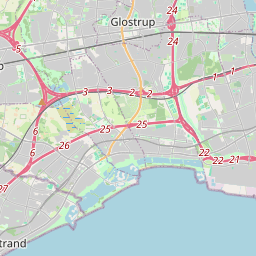
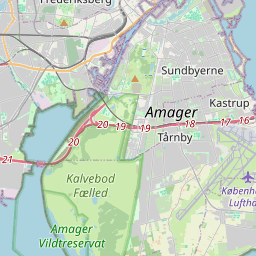
See vehicles, status and latest activity in one overview.
Fleet data creates value when it is used in operations.
Service van on a customer visit
See which van was near the customer, review trip history and use the data as documentation if questions arise.
Geofence at a depot or site
Define an area and get notified when vehicles enter or leave.
Vehicle behaviour and follow-up
Track driving behaviour, idling and speed, where the installed hardware supports it, and use the data for internal dialogue.
Fleet as the first module
Start with GPS tracking and expand later with jobs, time, documentation or invoicing.
Secure operations, EU hosting and control over access.
Fogito is built for businesses that handle customers, employees, jobs, hours, documentation and vehicle data in the same platform. That is why security, access control and structured data handling are part of the core of Fogito.
A DPA and an overview of relevant sub-processors can be provided as part of the procurement process.
Read about technology and securityQuestions about GPS and fleet.
What is Fogito GPS & fleet?
Fogito GPS & fleet is part of the Fogito platform and gives you an overview of vehicles, trips, history, geofencing, alerts and relevant fleet data.
Can Fogito show vehicles live?
Yes. Fogito can show vehicle position and latest activity when GPS hardware is installed and connected.
Can we see trip history?
Yes. Trip history can show routes, start/stop and driving patterns.
Can we use geofencing?
Yes. Geofencing can be used to define areas and react to entry and exit.
Can Fogito show fuel, engine data and fault codes?
Yes, where the installed hardware supports it. CAN/OBDII, fuel data, engine hours and diagnostics require the right hardware and installation.
Can Fogito be used for driving behaviour?
Yes, where the installed hardware supports it. This can include hard braking, acceleration, cornering and idling, for example.
Can Fogito be used for tachograph data?
Tachograph data can be used, where the installed hardware and setup support it.
Can Fogito be connected to jobs and time?
Yes. GPS and fleet can be connected to jobs, time tracking, transport and documentation, where it fits the workflow.
What happens in a GPS demo?
We go through the number of vehicles, your current GPS solution, the data you want, hardware needs and the workflow you want to support.
GPS-first with live tracking, trips, geofencing and alerts. Hardware is bought or rented.
Ready for a better view of your fleet?
Book a GPS demo and see how Fogito can help you with vehicles, trips, history, alerts and fleet data, where the installed hardware supports it.